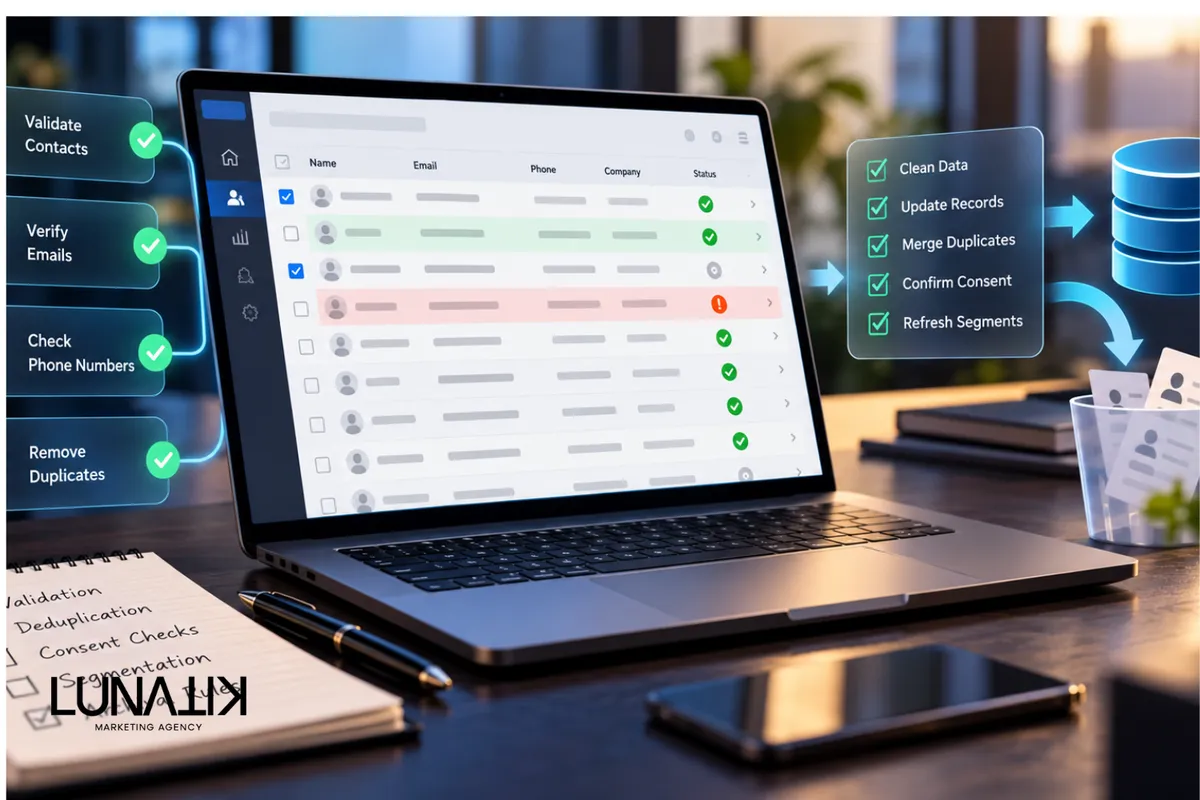
CRM Data Hygiene Checklist: What to Clean and How Often
Which CRM data should businesses clean regularly? Prioritize contact and identity fields, email and phone validity, duplicates, consent and subscription status, activity timestamps, and key segmentation attributes. Left unchecked, stale contacts, invalid email addresses, and missing fields undermine audience targeting, automation triggers, and reporting accuracy—so a repeatable crm data hygiene checklist helps keep campaigns and workflows reliable.
Core CRM Records To Clean Regularly
Start with the records that directly affect deliverability, routing, and segmentation. Focus on:
Contact identifiers: full name, primary email, primary phone, company name, and billing/shipping address.
Email health: syntax, role addresses (info@, sales@), bounce history, and verified domains.
Phone health: normalized formats and carrier/line-type checks for SMS eligibility.
Duplicates and merged records: matching on email, phone, and company identifiers; preserve activity history when merging.
Consent and communication status: opt-in flags, double opt-in status, unsubscribe history, and source of consent.
Activity and lifecycle timestamps: last contacted, last opened, last purchase, and lead creation date.
Critical segmentation fields: purchase intent, product interest, region, industry, account owner, and stage.
If your CRM connects to an online store or inventory systems, align cleaning rules with transactional fields. For businesses selling online this is part of good operational hygiene and often intersects with E-Commerce & Data Solutions.
Tiered Cleanup Routine: What To Validate And How Often
Use a tiered approach so teams can focus on what breaks operations first. The tiers below separate critical field validation, stale-record review, consent checks, and archival rules.
Tier 1 — Continuous (real-time or daily): Email and phone validation at capture, duplicate prevention on lead entry, and mandatory field enforcement for routing (owner, stage). These prevent incorrect records from entering workflows.
Tier 2 — Weekly: Automated bounce handling, suppression list reconciliation, and quick scans for invalid email addresses and malformed phone numbers.
Tier 3 — Monthly: Merge likely duplicates, enrich missing company or job-title fields where possible, and refresh key segmentation attributes that feed active campaigns.
Tier 4 — Quarterly: Review stale contacts (no activity in 12–24 months depending on business model), confirm consent status for resends, and adjust suppression and re-engagement rules.
Tier 5 — Annual: Apply archival rules for long-term retention, purge or archive records per policy, and audit data governance practices and field definitions.
Tradeoffs to consider: more frequent cleaning reduces targeting errors but increases operational cost and the risk of over-pruning. Less frequent cleaning saves resources but lets stale contacts degrade automation and paid audience quality.
Maintenance Checklist And Schedule
Use this crm data hygiene checklist as a practical runbook. Mark tasks as automated where possible, and assign ownership for manual reviews.
Daily — Validate incoming emails and phone numbers; block known disposable domains; assign owner on new leads.
Weekly — Remove hard bounces, update suppression lists, and flag contacts with repeated engagement failures for review.
Monthly — Run duplicate merge reports and perform automated merges with manual review for partial matches; fill missing fields via enrichment APIs where available.
Quarterly — Identify stale contacts (example rule: no opens, clicks, purchases, or logins in 12–24 months); run consent verification campaigns for borderline records; update segments used by active ad audiences.
Annually — Archive or delete records per retention policy; perform a data governance audit of field definitions, required fields, and access controls.
On change — After migrations, new integrations, or schema changes run a validation pass to detect mapping errors and missing fields.
Keep an operational log of cleanup actions so you can track why records were changed or removed. That log helps troubleshoot automation failures and maintain auditability.
Implementation, Automation, And Integration Tips
Decide what to automate and what to keep manual based on risk and volume. Use automated validation at capture to stop invalid email addresses and reduce stale contacts. Use enrichment services and webhooks to fill missing fields, but add rules that prevent overwriting authoritative data. When connecting CRMs to ad platforms and email systems, synchronize suppression lists and audience rules to prevent sending to invalid or unsubscribed contacts.
For integration planning, map how each field flows between systems, and include reconciliation checks that compare counts and recent activity. Maintain a lightweight data governance document that defines field meaning, source-of-truth, required values, and retention timelines. If you need a list of compatible connectors and integration options, review the platforms under Software We Work With to plan the technical approach.
Common implementation risks: cleaning without a backup or change log, applying aggressive archival rules without stakeholder sign-off, and breaking lead routing by removing fields used in automation. Mitigate these by staging cleanup in a sandbox, using incremental rollouts, and notifying sales/marketing teams before mass changes.
For a practical walk-through of connecting cleanup routines into automated marketing flows, see the AI Marketing Workflow for examples of how validation, enrichment, and segmentation feed downstream campaigns.
Frequently Asked Questions (FAQs)
How Do I Measure When a Contact Is "Stale"?
Define staleness based on business activity: for most B2B sales pipelines 12-24 months without contact or meaningful activity is typical; for ecommerce shorter windows tied to purchase cycles make sense. Choose a definition, apply it consistently, and test a re-engagement step before archival.
Will Cleaning Remove Important Historical Data?
Not if you separate archival from deletion. Archive inactive records in a read-only store first so history stays available for reporting. Only delete when retention policy and legal considerations permit.
How Do I Protect Consent Records During Cleanup?
Treat consent and opt-in fields as critical. Never overwrite consent source or timestamp with automated enrichment. Confirm any consent-cleanup action with legal or compliance owners.
Which Fields Should Never Be Auto-Deleted?
Keep activity history, consent metadata, transaction IDs, and owner assignment. These support audits, attribution, and dispute resolution.
Start a Repeatable CRM Hygiene Program
We help businesses build repeatable CRM data hygiene programs that stop stale contacts from eroding segmentation and automated workflows. At Lunatik Marketing Agency, we develop practical plans for validation, consent checks, deduplication, and archival rules tailored to your technology stack. Learn how we connect data-cleaning routines to lead routing, ad audiences, and customer experiences through Optimize Your Online Business. Schedule a conversation to review your current data workflows and create a prioritized cleanup plan that supports cleaner data and more reliable automation.