Can Marketing Automation Feel Personal? A Decision Framework
Yes. Automation can feel personal when it’s applied to the right touchpoints, driven by accurate data in your CRM, and paired with clear handoffs to people. The core is a practical balance: use marketing automation to remove repetitive work and speed response, while keeping humans in the loop where relationship value, judgment, or nuance matters.
The Business Problem: Why Teams Worry Automation will Remove the Human Touch
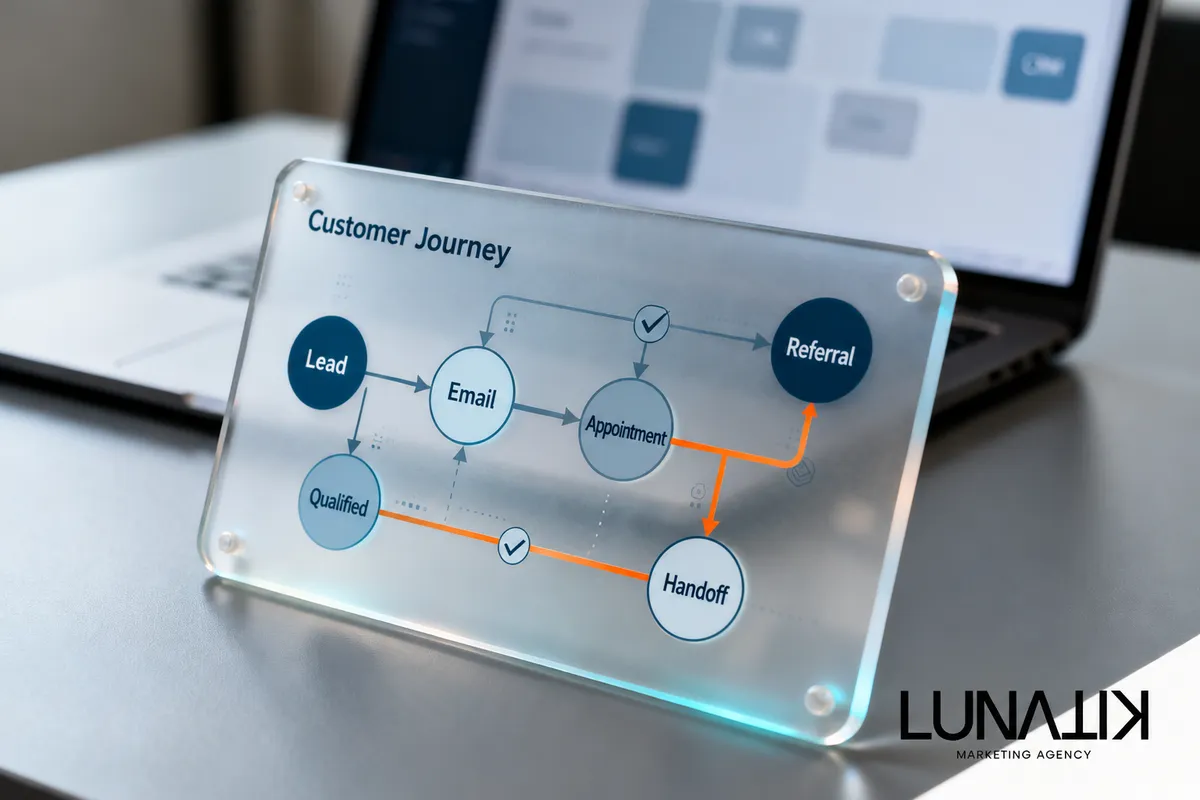
Growing businesses often face two pressure points at once: more leads and limited time to respond well. That creates a temptation to automate everything. The result can be cookie-cutter messages, missed context in customer communication, and bad handoffs between marketing and sales. The real decision is not whether to automate, but which parts of the customer journey to automate and which to protect with human attention.
Where marketing automation saves time — and where it shouldn't
Use automation where it reduces repetitive labor, ensures consistent responsiveness, and captures data for better decisions. Examples include welcome sequences, appointment reminders, transactional confirmations, basic qualification, and routine re-engagement. However, do not fully automate high-value judgment calls: contract negotiations, complex onboarding, sensitive service issues, or moments that require empathy.
When deciding what to automate, consider integration with your core systems. If your CRM contains reliable contact history and status, automation can safely personalize messages and trigger handoffs. If the data is fragmented, automation will magnify errors.
Decision Framework: Choose an appropriate automation level
Use this simple framework to decide how personal an automated touch should be.
Value per touch: High-value interactions keep human involvement; low-value repetitive touches are candidates for full automation.
Data quality: Good data supports conditional personalization; poor data requires conservative templates and manual checks.
Complexity and risk: If an automated reply could cause a legal, financial, or reputational problem, route it to a person.
Frequency and scale: High-frequency tasks (reminders, receipts) justify automation—manual handling does not scale.
Opportunity cost: Automate tasks that take time away from revenue-generating human activities.
For each touchpoint, score these criteria and map the result to one of three approaches: template automation (rules-based), semi-personalized automation (data-driven tokens and conditional blocks), or human-in-the-loop (AI drafts, human approves). This framework helps keep the customer experience under control while you scale.
Implementation Sequence: Pilot, Measure, Scale
Follow this practical sequence to implement automation without losing control of customer experience:
Inventory touchpoints. List every customer contact from first click to renewal. Note channel, owner, purpose, and current timing.
Classify by the decision framework. Apply the framework above and tag each touchpoint: automate, semi-automate, or human-only.
Define data and integration needs. Identify which CRM fields, lead source attributes, and behavioral signals must be accurate for personalization to be safe.
Build a small pilot. Choose 2–3 touchpoints with clear goals (response time, no-show reduction, lead qualification) and create simple, measurable automations.
Instrument and measure. Track behavioral metrics (open rates, reply rates, appointment show rate), operational metrics (response time, handoff errors), and qualitative feedback from staff and customers.
Adjust rules and escalation paths. Use metrics to tune content, segmentation, and thresholds that escalate to a human when needed.
Document handoffs and ownership. Define who owns each automated sequence, how exceptions are handled, and where audit trails live in the CRM.
Scale in waves. Expand automation to adjacent touchpoints only after the pilot shows stable outcomes and reliable data flows.
During implementation, adopt an AI-assisted approach for drafting and testing personalization but keep a human approval layer for new templates.
Well-designed automation depends on good customer communication practices: time the messages around the recipient’s behavior, use clear opt-out paths, and avoid over-messaging. Also ensure your CRM captures the signals that determine whether a lead gets an automated follow-up or a direct phone call from sales.
Common pitfalls and how to avoid them
Automating on bad data: Fix the CRM before scaling; automation reflects whatever data it reads.
No human fallback: Always provide an easy route to human help when the automated path fails or the customer signals frustration.
Over-personalization risk: Don’t insert sensitive or inferred details that feel intrusive. Use clear, transparent personalization that customers expect.
Ignoring measurement: Set success metrics for each automated sequence and review them regularly to catch degradation.
Poor governance: Document templates, owners, and escalation rules so changes don’t break the experience.
FAQ
Can AI write messages that feel human?
AI can draft messages that read naturally, but it needs accurate context and human review. Use AI to accelerate writing and A/B test tone and content, then keep humans in the approval loop for customer-facing templates until you trust the model on your data.
How much personalization is safe?
Personalize using explicit signals you collected directly (name, recent purchase, scheduled appointment). Avoid personalization that relies on opaque inferences unless you can explain them to the customer and they consented.
What role should the CRM play?
The CRM should be the single source of truth for lead status, eligibility for sequences, and ownership. Automation should read and write predictable CRM fields so handoffs are visible and auditable.
How do we prevent customers from feeling over-automated?
Limit frequency, maintain clear sender identities (from a person when appropriate), and use conditional logic to pause sequences after meaningful engagement like a phone call or support ticket.
Turning Automation Into a Better Customer Experience
Modern businesses need to balance efficiency with meaningful customer interactions. Lunatik Marketing Agency helps businesses identify where automation can simplify repetitive work while keeping important customer interactions human. If you want an independent review of your customer journeys, CRM handoffs, and automated communications, we can help you build a strategy that saves time without losing the personal connection. Explore AI & Automation to see how a focused approach can support your operations and sales process.